Meetings & Follow-ups
Shorter meetings, clear decisions, and follow-ups nobody can misread.
- Build a Decision-Ready Agenda3 min
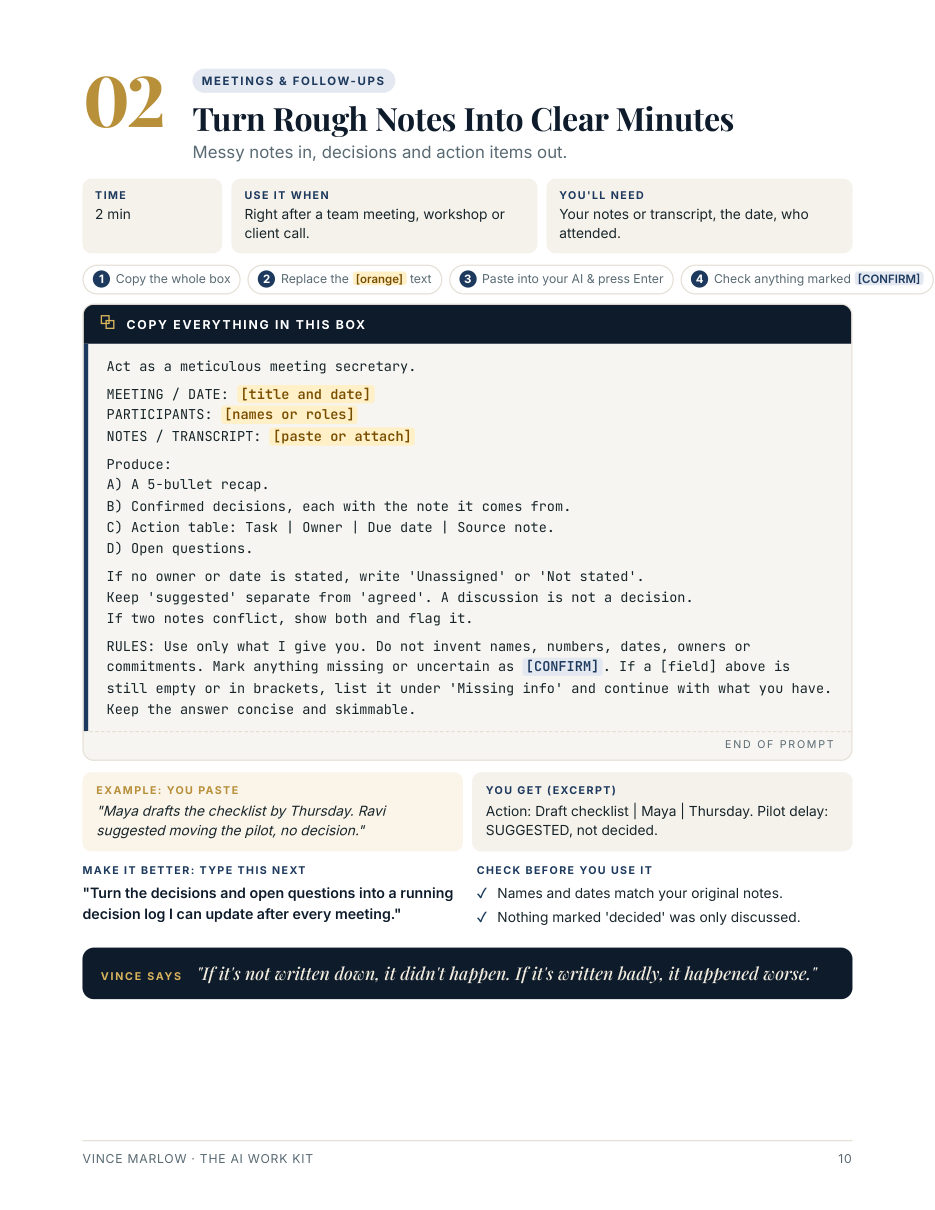
- Turn Rough Notes Into Clear Minutes2 min
- Send a Follow-Up Email People Act On2 min
- Prepare for a 1:1 or Difficult Conversation4 min
Email & Communication
Clear inbox, calm replies, and messages people actually act on.
- Clear an Overloaded Inbox in 20 Minutes5 min
- Reply to an Angry Email Calmly3 min
- Make a Long Email Short and Clear2 min
- Follow Up Without Being Annoying2 min
- Stress-Test a Sensitive Message Before Sending4 min
Reports, Slides & Sheets
Status reports, briefs, slides and spreadsheet formulas, with no made-up numbers.
- Write Your Weekly Status Report in 5 Minutes5 min
- Turn a Long Report Into a One-Page Brief4 min
- Get Spreadsheet Formulas Without the Headache3 min
- Turn Your Ideas Into a Presentation Outline4 min
- Explain KPI Changes Honestly5 min
- Compare Two Versions of a Document3 min
- Summarise Feedback Fairly4 min
Learning & Decisions
Get up to speed fast, compare options, check facts and make calls you can defend.
- Learn Any Topic in 15 Minutes5 min
- Compare Vendors or Tools Side by Side5 min
- Write a Decision Memo With a Clear Recommendation5 min
- Fact-Check a Report Before It Goes Out4 min
- Spot What Could Go Wrong Before Launch5 min
Planning & Focus
A realistic week, a clear project plan, and time for deep work.
- Turn a Messy To-Do List Into a Realistic Week4 min
- Break a Project Into Clear Steps5 min
- Protect Focus Time in a Busy Calendar3 min
- Turn "How We Do It" Into a Step-by-Step Guide5 min
Do I need a paid AI subscription?
Usually not. Most copy-paste prompts work with free AI plans. Workflows involving files, connected accounts or browser agents may need extra features or a paid plan. Each guide says what you need.
I'm not technical. Will this work for me?
Yes. Every page tells you exactly what to copy, what to fill in and what to check. If you can copy and paste, you're qualified.
Will the AI make things up?
Every prompt ends with rules that tell the AI to use only what you give it and to mark anything uncertain as [CONFIRM]. You still check before you send, but you'll know where to look.
Is it safe to paste work information?
Only paste what you're allowed to share, and remove names and anything private first. The kit shows you how.
One-time payment in USD; any sales tax or VAT is shown at checkout. Secure checkout by Lemon Squeezy. Instant download. A file that doesn't work or isn't as described? We fix it or refund you. Questions: vince@vincemarlow.com